VNL Works
VNL Works
VNL Works

日本語

Self-developed · iPhone app · Available on the App Store

MimicFit

Facial exercise training, without seeing your own face.

Instead of a mirror or a selfie view, you watch a 3D avatar that moves with your expressions. Smile, and the avatar smiles. VNL Works built the app end to end, from concept and face tracking to the App Store release.

Works on
iPhone (iOS 15 or later)
Price
Free (one optional in-app purchase)
Languages
English and Japanese
Made by
VNL Works Inc., in-house
Concept

The camera is a sensor, not a mirror

Practicing facial expressions usually means watching your own face in a mirror or a selfie view. But looking at a face fresh out of bed, or one that is not ready for the day yet, is not always pleasant. MimicFit was designed to remove that hurdle from the very start.

01

The camera only reads

The front camera is used purely as a sensor that reads how your expression moves. The camera image is never shown on screen.

02

Only your avatar is on screen

A 3D avatar that follows your expression takes the place of the mirror. Because you don't see your own face, you can focus on the movement itself.

03

Your own range is the baseline

On first use, you record the range you can move comfortably. Scores reflect your movement relative to that baseline, not how your face looks or how you compare with anyone else.

Features

Three ways to play

Short practice, rhythm to music, and avatar shooting. Pick whatever suits your mood.

Try a 30-second demo in your browser

Practice courses

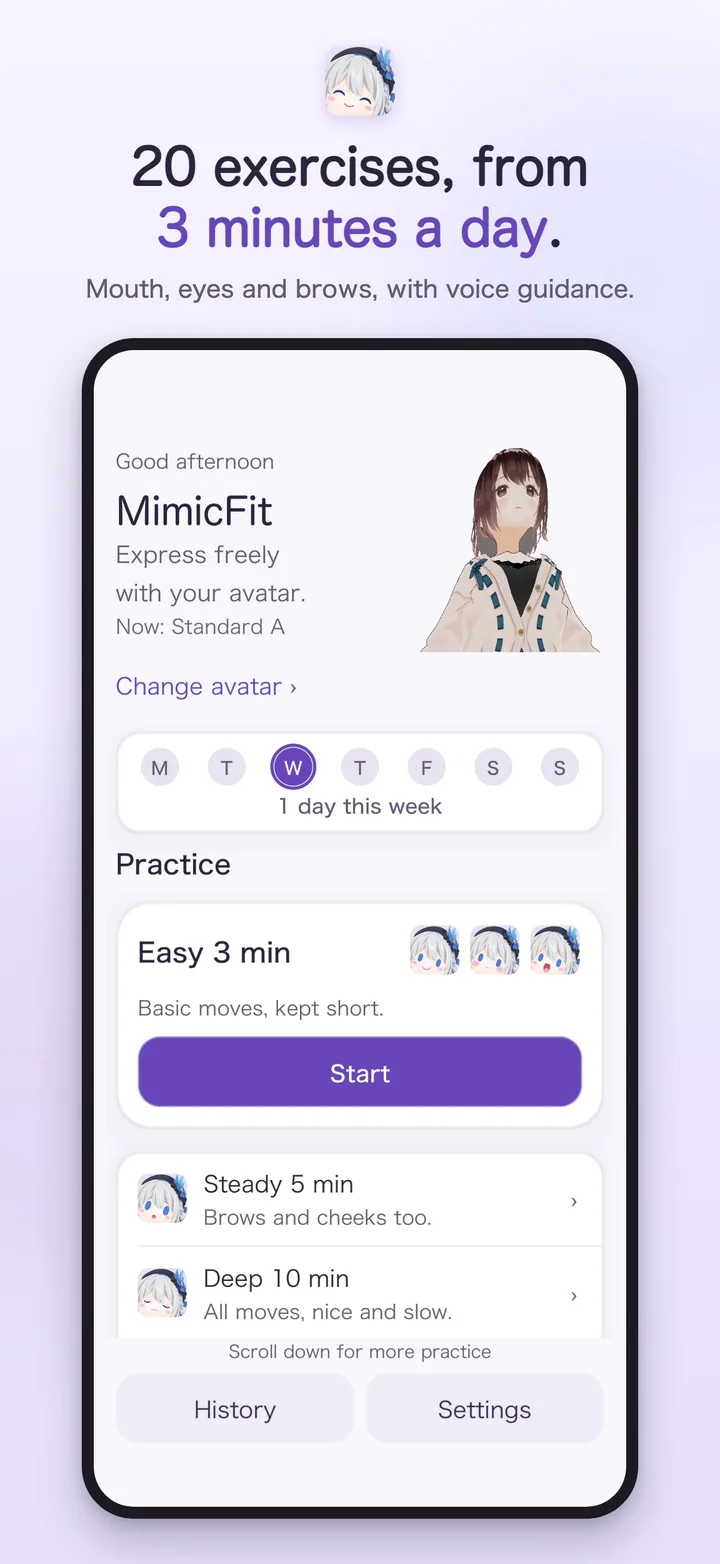
3 minutes a day, with your avatar

Follow the voice and on-screen guide to practice moves such as raising the corners of your mouth or your brows. A guide ring fills as you move, so you can see at a glance how far you got.

  • Three courses: 3, 5 and 10 minutes
  • 20 exercises for mouth corners, eyes, brows and more
  • Gentle voice guide (in English, the iOS built-in voice)
Rhythm Mode

Play along to the music

Hold and switch expressions, such as a smile or an "ah", in time with the music. Land the timing to score well, and keep going to build a combo. It feels closer to a game than to training.

  • 4 original songs, 8 charts
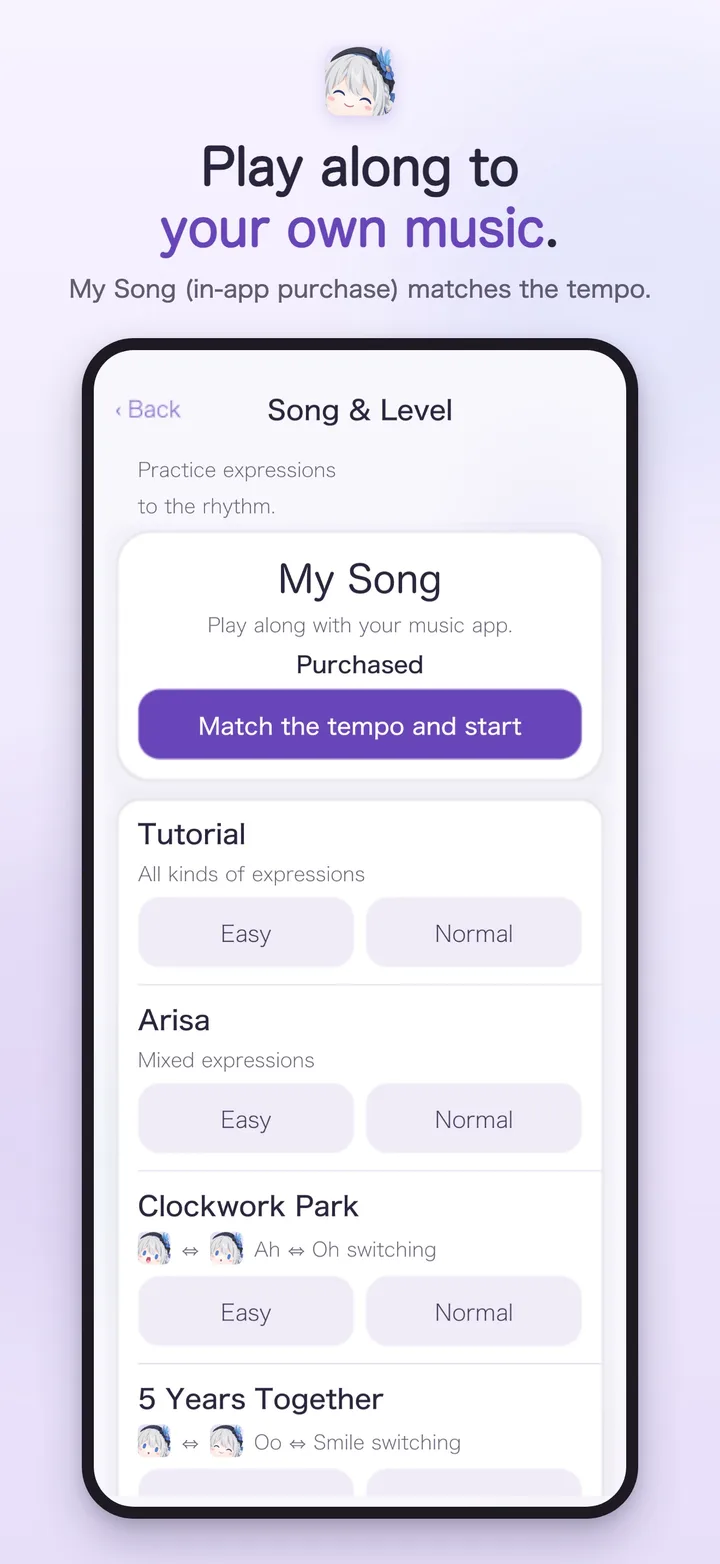
  • My Song Mode lets you play to your own music (one-time in-app purchase)
  • Try it for up to 60 seconds per play before buying

Studio

Shoot and collect with your avatar

Move your avatar with your own expressions and capture photos or videos (up to 30 seconds). Only the avatar appears. Green, blue and transparent backgrounds are available, so it also works for stream material.

  • Load your own VRM avatar (0.x / 1.0)
  • Decorate photos with frames and stickers
  • The camera image never appears in photos or videos

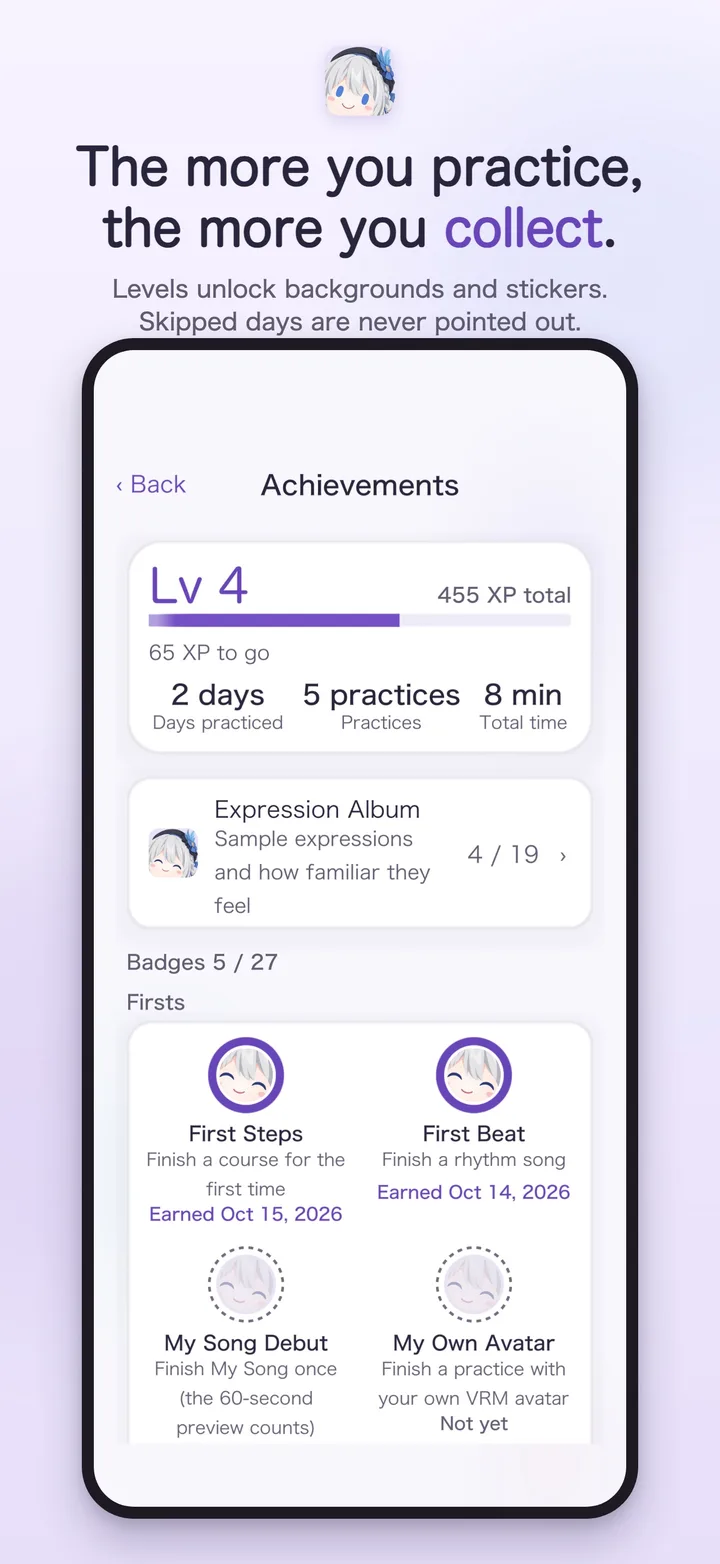
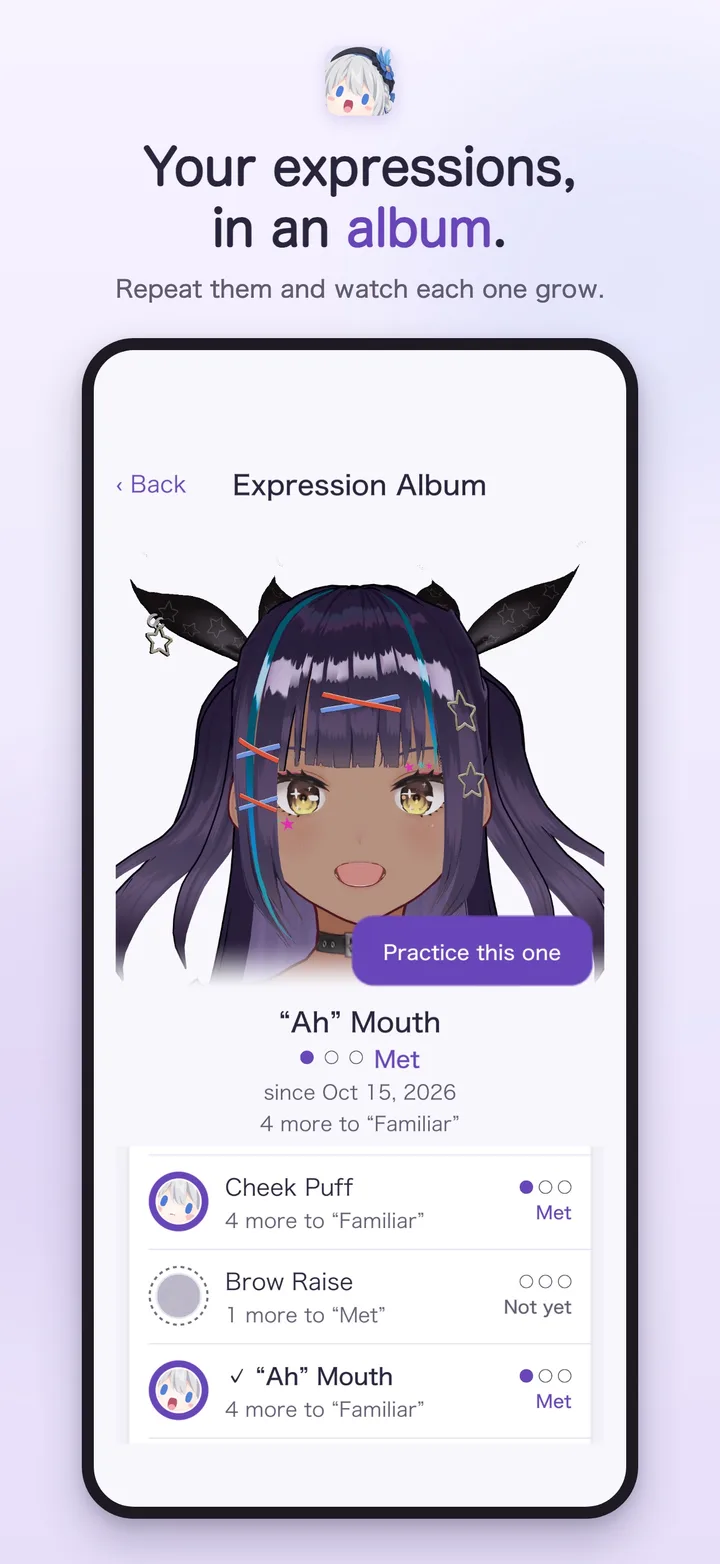
The more you practice, the more you collect

As you practice, you level up and unlock backgrounds and stamps. The expressions you practice gather in the Expression Album. Nothing points out the days you skipped.

  • The MimicFit home screen, with the 3, 5 and 10 minute courses
  • The MimicFit progress screen, showing your level and badges
  • The MimicFit Expression Album, where the expressions you practice gather
  • The MimicFit screen for choosing a song and difficulty, with My Song Mode available

Who it is for, and how data is handled

For You

Who it is for

  • People who couldn't stick with practice in front of a mirror or a selfie view
  • People who want a short, private session before getting ready or before bed
  • VTubers and streamers who want to loosen up their expressions before a stream or shoot
Supported devices
iPhones that support ARKit face tracking (iOS 15 or later). On unsupported devices, the app says so.
Price
Free. Only My Song Mode is an in-app purchase (one-time).

Privacy

How data is handled

  • The camera image is never shown on screen, saved or sent.
  • There is no account, and no ads or analytics.
  • The app itself sends no data. Only Apple Music song search and purchases go through iOS to Apple.
  • What stays on your device is your practice summaries, achievements and settings. You can delete everything from Settings at any time.

Privacy PolicySupportPress kit (images and description)

FAQ

Frequently asked questions

Will my own face appear on screen?

No. The camera image is never shown on screen. All you see is a 3D avatar that moves with your expressions. Positioning uses abstract guides, not the camera image.

Is the camera image saved or sent anywhere?

No. The camera is used only to read, as numbers, how your expression moves and where your face is, which way it faces and how far away it is. The image is never saved or sent. The app itself sends no data. Only Apple Music song search and purchases go through iOS to Apple.

Which iPhones are supported?

You need an iPhone that supports ARKit face tracking (iOS 15 or later). The app checks this automatically on the positioning screen before you start. On unsupported devices, a screen explains this and practice is not available.

Does it cost anything?

MimicFit is free. Only My Song Mode is an in-app purchase (one-time), and you can try it for up to 60 seconds per play before buying. There are no ads.

Can I use my own VRM avatar?

Yes. You can import VRM 0.x / 1.0 models (up to 32 MB). Imported models are used only on your device and are never sent anywhere. If you don't have a model, you can choose one of the three built-in avatars.

Do I need to create an account?

No. There is no account, and no ads or analytics. Your records stay on your device, and you can delete them all from Settings at any time.

Built In-House

From concept to App Store, made in-house by VNL Works

MimicFit is VNL Works' own product. We handled the experience design, the 3D and face tracking, the iOS integrations and the App Store release ourselves.

Main technologiesUnity 6C#AR Foundation / ARKitSwift / Objective-CVRM 0.x / 1.0StoreKitMusicKit

MimicFit is a training and game app, not a medical device, and does not guarantee any medical or cosmetic outcome. If you feel pain or discomfort, stop practicing.
Press inquiries: contact@vnlworks.com. Apple, App Store, iPhone and Apple Music are trademarks of Apple Inc.

Start with a 3-minute course.

Search for "MimicFit" on the App Store, or use the button below.

Nyano

AIガイド・公開デモと事例をご案内

こんにちは!AIガイドのNyanoです。 気になるテーマを選ぶか、下の入力欄からそのまま質問してください。ぴかっ✨
ご相談内容に近いものを選んでください

公開中のデモ・Labs・事例をもとにご案内します。機密情報の送信はお控えください。

0/800